Glyphico help
Short answers to questions the screens don't answer.
Making a code
Where do I start?
Choose Create QR and follow the steps: frame your picture and choose its black-and-white version, place it in the code, choose a variant and retouch it if you like, then set its destination. A last step checks the code and pays for it.
Which pictures work best?
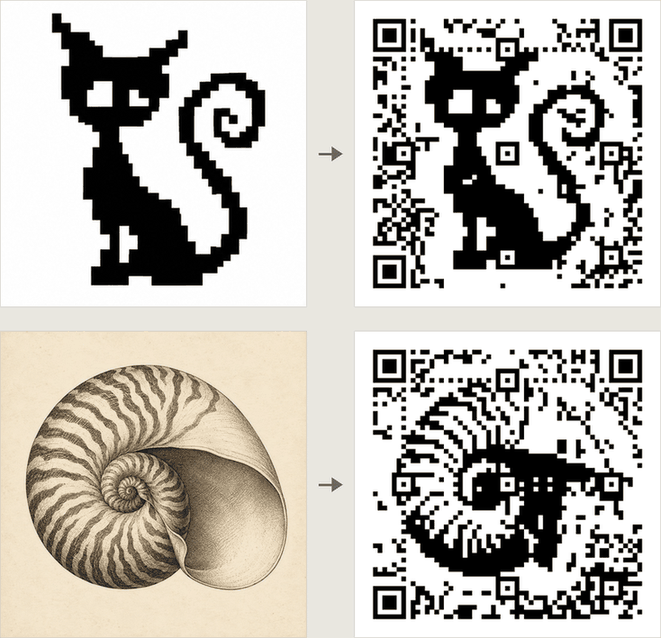
Bold, high-contrast shapes: logos, silhouettes, letters and icons. Lines thinner than a square are drawn a square wide; gradients and fine textures tend to disappear in the QR grid. Pixel art of up to 32 colours, as a PNG, GIF, WebP or JPEG, can keep its squares exactly. Keep the important part near the centre.
What happens to my picture?
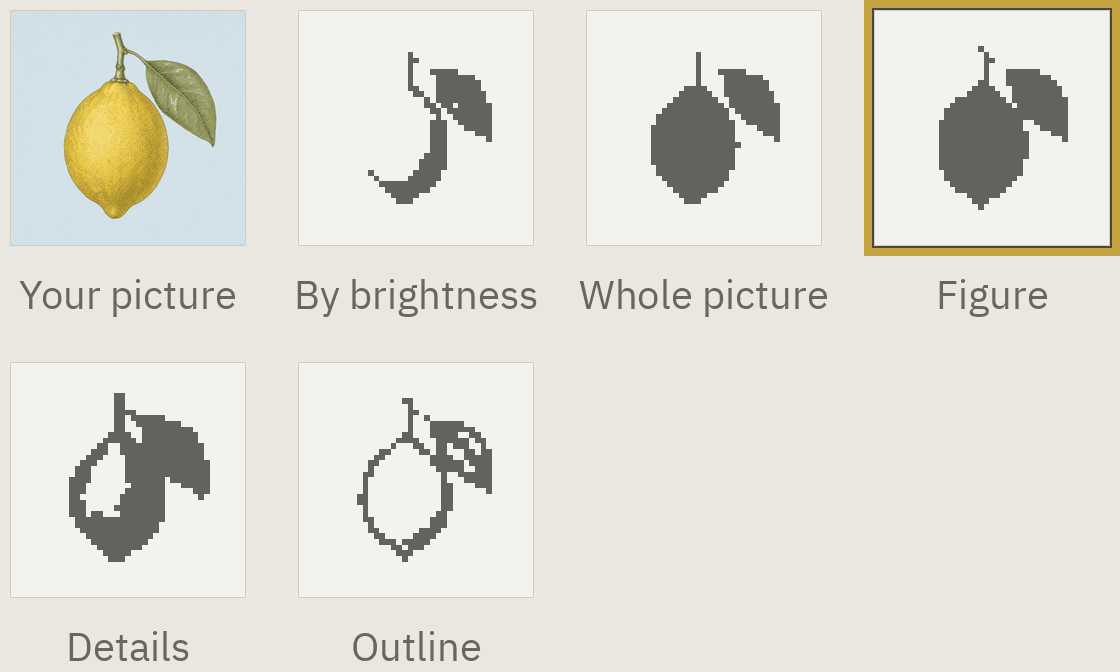
It goes up in colour, and Glyphico keeps a copy of it with the draft, at most 1024 pixels a side. At step 1 you frame it, choose the code's size and pick one of up to six black-and-white versions, such as Figure, Details or Outline: the one that keeps your subject whole.
A pixel drawing of at most 32 colours and 128 squares a side can be kept square for square, in any of those formats, a JPEG's blur allowed for, even one enlarged with soft edges and shades as stock and generated pixel art often is: choose Treat as pixel art under the row. Its colours then turn black and white in up to three ways, Dark colours, Silhouette with details and Silhouette; under Advanced you can switch each colour yourself and choose the one around the drawing.
What does the grid size change?
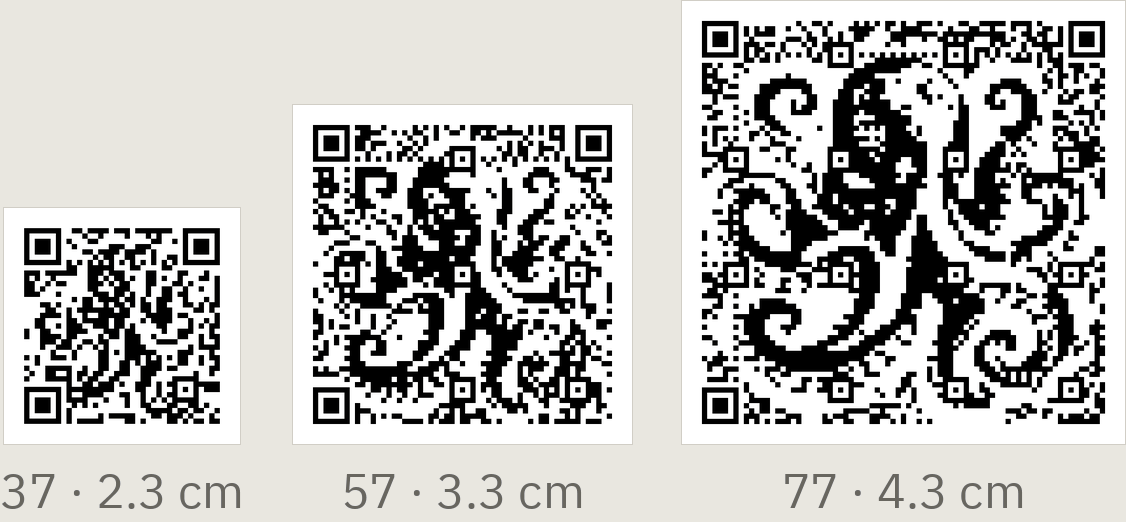
37, 57 or 77 squares per side. More squares can preserve more detail, but need a larger printed code. Choose it at step 1 by the picture and the size you can print; step 2 can still change it.
Why turn the code?
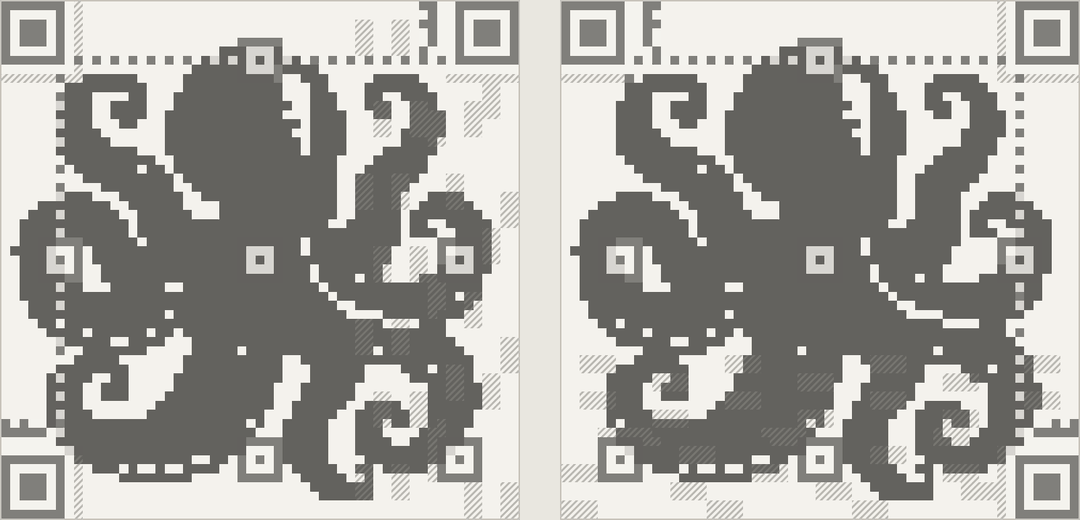
The three corner markers and a band along one edge belong to the QR code, not your picture. Turning the code moves the band to the side where it hides less.
Sharp outlines or clean areas?
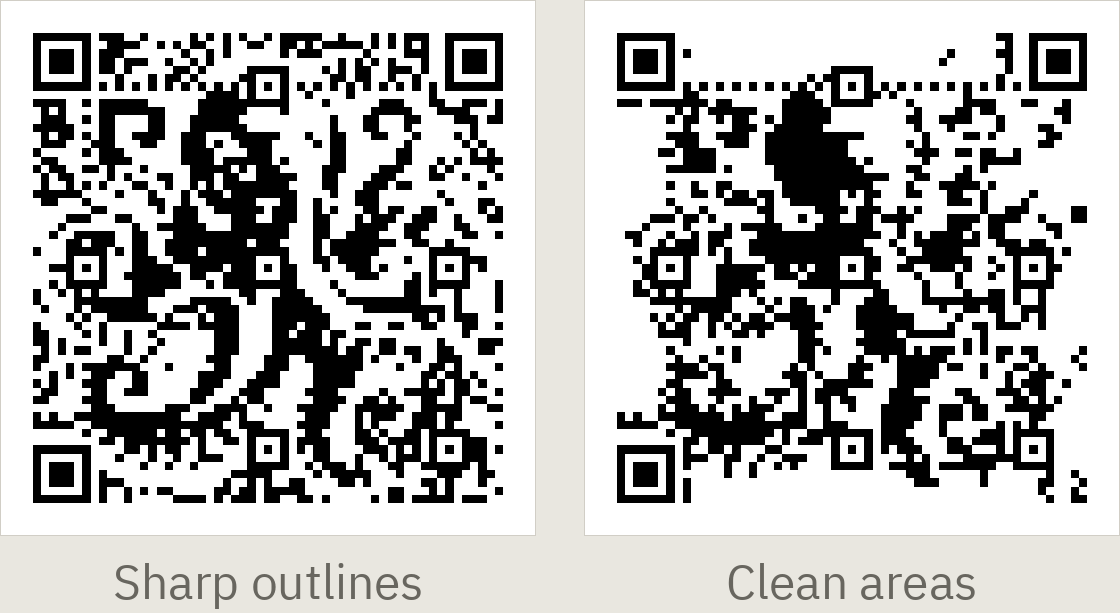
Both keep the code readable. For a photo or an engraving, Sharp outlines protects the picture's edges and Clean areas its larger filled shapes: choose among the four variants, or move the slider in Retouch. A logo or silhouette on a plain ground, or a picture chosen as Outline, gets four different looks instead: its sharpest outlines, and three with an even noise in the ground.
What does "Harder to scan" mean?
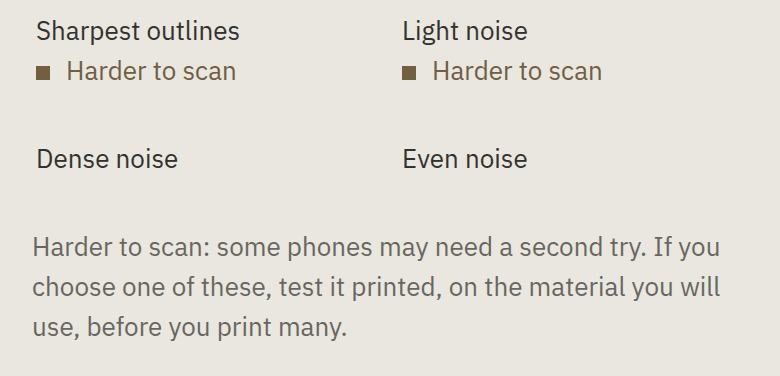
Each variant is checked the way a phone's camera sees a printed code, and one that reads poorly is fitted again. A variant that still reads less surely says Harder to scan: it reads, but some phones may need a second try. You can choose it; test it printed, on your material, before you print many. When all four read less surely, one notice says so, and beside Regenerate you can try More resistance to damage, crop the picture differently or choose another picture.
Why doesn't the code match my picture exactly?
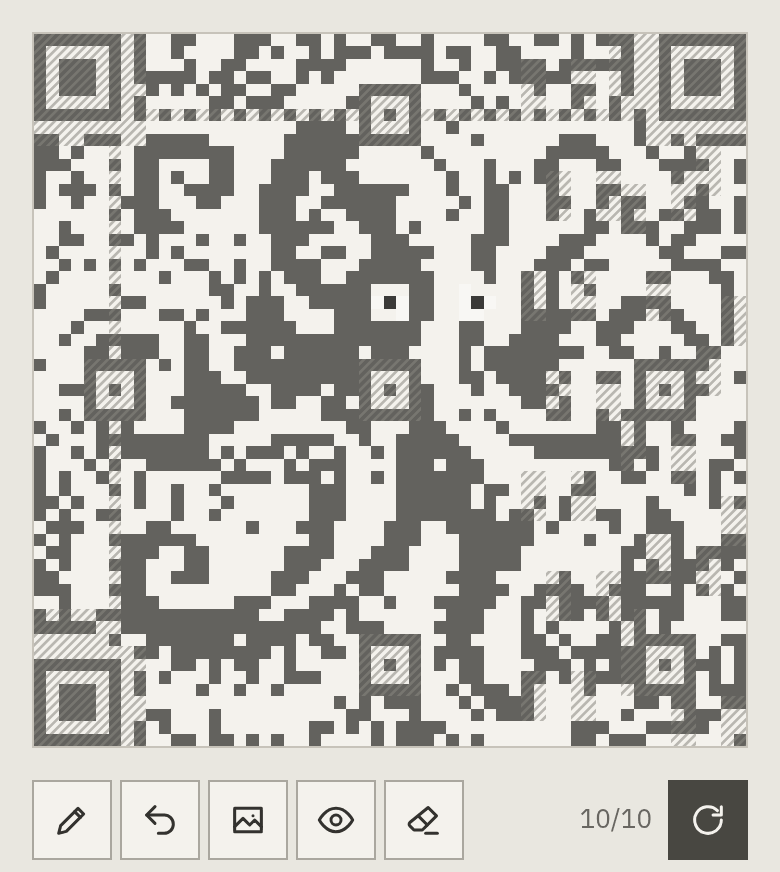
Some squares must carry the link and the QR code's structure. Glyphico fits the picture around those constraints; a larger grid or simpler picture usually helps.
Can I change individual squares?
In Retouch, tap or draw the changes you want and regenerate. These are requests, not guaranteed edits: the count by the tools shows how many were possible.
What is resistance to damage?
Under Advanced in Retouch, choose L or M, or choose More resistance to damage at step 3 when all four variants are harder to scan. M can tolerate more damage, but leaves less freedom to match the picture.
Links and saved codes
Where does a scan go?
Your QR contains a managed link, https://qrhop.cc/<key>, not your destination. Glyphico counts the scan and redirects to the destination you set. The link in the printed code stays the same.

Can I change the destination?
Yes. Open the saved code and choose Change destination. The new address is checked before saving; existing prints then lead to it.
How do I tell my codes apart?
Give a code a note: on its page, choose Add a note beside the day it was made and write a line of up to 60 characters, for your workspace only. The dashboard shows it after the day, and Analytics finds a code by it. A draft takes one too.
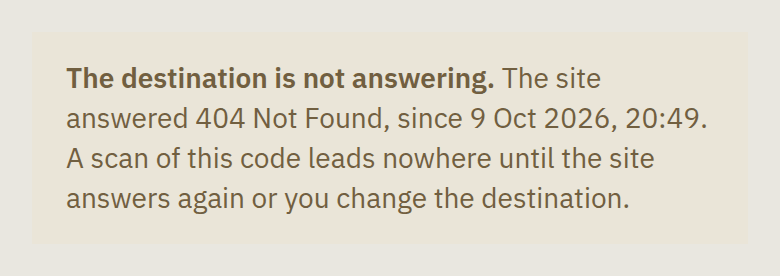
What if my destination stops working?
Glyphico checks active codes daily, a new account's from its first payment on. After two failed checks about an hour apart, it flags the code and emails you; a code saved onto an address already flagged shows the flag at once, and you are emailed only if the address breaks again later. Turn the emails off under Account → Profile. Sites that block automated checks aren't treated as broken just for that.
Pause or archive?
Pause keeps the code in your dashboard but stops redirecting, and turns its renewal off; Resume switches the code back on; its renewal stays off. Only a paused code can be archived: Archive also hides it from the dashboard, and cancels a payment that hasn't gone through yet. Scanners see an unavailable or inactive page. The time a code has paid for stands still while it is off (paused, archived or deleted), and runs again once it is back on.
Restore a code from the archive before you give it, pay for it or resume it: it comes back paused. Delete removes it from the archive and frees its place among your account's codes; it can be restored for 30 days while there is a place for it. After that its pictures, variants and scans may be erased, and its link is never given to anyone else.
Can I change the QR design after saving?
Not its pattern or its link: they are fixed. Its colours and shape can change under Style, and Similar codes or How this code was made start another code from it.
Can I give a code to someone?
Yes, once your account has made its first payment: under Manage this code, Give this code makes a private link to send, with a code word if you like. Until it is accepted the code stays yours, marked Gift pending, and you can Revoke gift; once accepted, the code, its link and the time it has are theirs for good, and its renewal stops. Giving a code whose payment hasn't gone through yet cancels that payment first; while a payment is being processed, wait until it has. A code offered as a gift can't be paid for until the gift is accepted or revoked. An archived code is restored first.
How long will the link work?
As long as the code's term runs: the period paid for, renewed if renewal is on, and 7 more days after its end. Its link is never given to anyone else, and the terms say what notice you get before the service changes.
Paying for a code
What does a code cost?
$2 a month, or $18 for 9 to 12 months, per code, in US dollars with tax included. You choose 1 to 12 months and pay in advance; each code has its own period. Paddle, our reseller and the Merchant of Record, takes the payment. See Pricing.
What are the 7 days before payment?
Step 5's Switch it on makes the code work for 7 days before you pay, once for each code: print it, scan it and check where it leads, then choose a period and pay at step 6. A period paid within the 7 days counts from the day you switched the code on. An account has at most 5 codes switched on and not paid for, counting those whose 7 days ended in the last 30 days; 20 once it has paid for one.
What happens if I don't pay?
When its 7 days before payment end with nothing paid, the code stops redirecting: a scan says it is temporarily unavailable. When a paid period ends, the code works 7 more days: a period paid within them continues from the end, and one paid later starts on the day you pay. We email you a week before a period with nothing to renew it ends, and on the day it ends. Its link stays reserved for it, so paying later brings the same printed code back. A payment begun with the wrong term can be cancelled while it waits, with Cancel this payment, to choose another; that changes nothing for the code.
Why can't I switch on my next code yet?
Until its first payment, a new account can switch on one code. Step 5 of the next code names your first code and links it, so that you can pay for it; meanwhile the next code stays a draft, with everything you made in it.
Is the code renewed automatically?
If you choose it when you pay: Pay $18 a year, renews pays for the period and renews it when the code's period ends, at the same price, until you turn it off; Pay $18 once pays for the same period without renewal. Change renewal… under Manage subscription on the code's page changes its period and price through the same way of paying, charged from the next renewal, not now. Turn it off any time there: the time already paid stays, and we email you that it is off.
What if a renewal payment fails?
The code keeps working for 7 days after the renewal date while Paddle may try again, and we email you how to pay with another card. Meanwhile Extend… on the code's page buys a period that continues from the renewal date. If it remains unpaid after the 7 days, the code stops and we ask Paddle to turn renewal off. Until Paddle confirms the stop, a payment may still complete; the code's page shows its status. Pay to turn it on… buys a new period after access has ended.
Where is my receipt, and how do I change my card?
Paddle emails a receipt after each payment. To find it again, or change the card that pays a renewal, go to paddle.net with the email you paid with.
Can I get a refund?
Yes, in full, within 14 days of any payment, renewals included: write to support@glyphi.co from the address you paid with, or to Paddle's buyer support. See the Refund Policy.
Printing
How large should I print it?
Including the white margin: 2.3 cm for 37 squares, 3.3 cm for 57 and 4.3 cm for 77. For distant scanning, a useful starting point is a code about one tenth of the viewing distance.
How do I print it reliably?
Keep the white margin; use dark squares on a light, preferably matte background. Scale proportionally, never stretch. Before a large print run, test a real sample with several phones.
PNG or SVG?
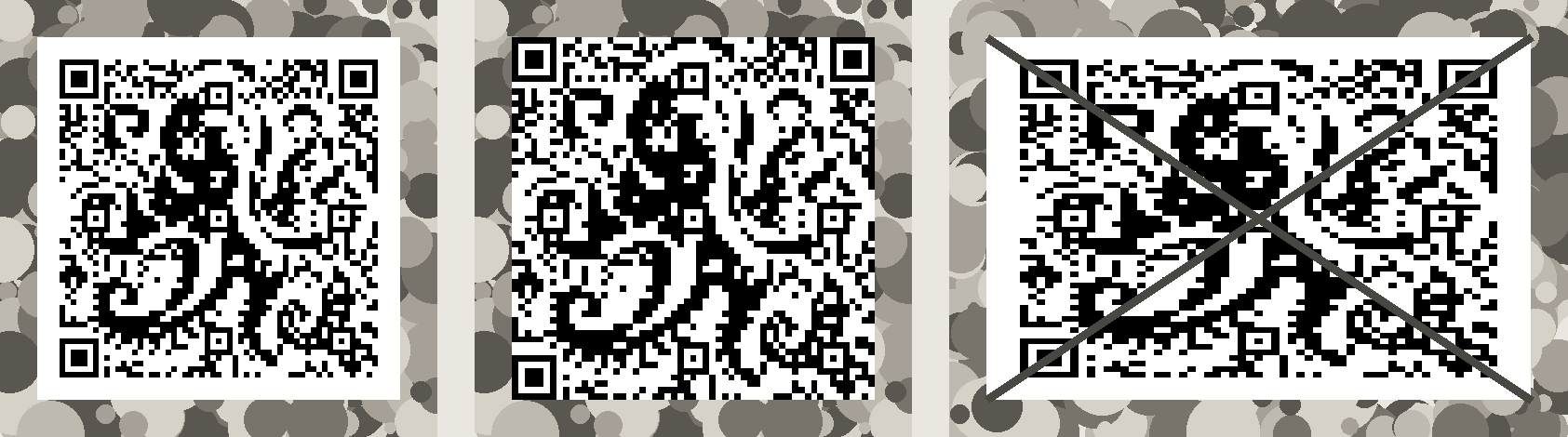
Choose SVG for design and professional print, or PNG for ordinary digital use and small prints. Neither should be cropped into the QR's white margin. To send a code to a phone or to Google Lens, send the PNG: an SVG opened as a file can come out too small to read. The codes on Glyphico's own pages are shown sharp enough to share.
Scans and analytics
Scans, visitors and bots — what's counted?
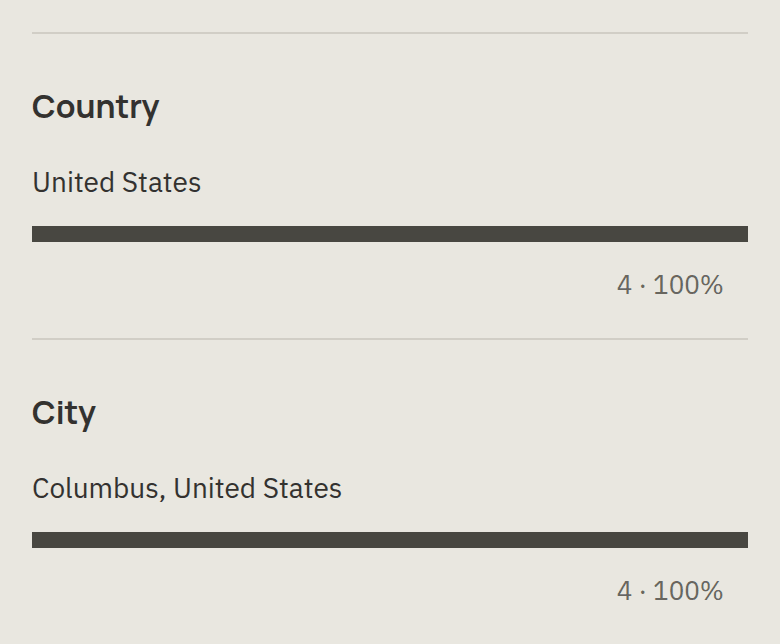
Scans are requests answered by the managed link, counted by the hour of UTC and kept for the code's whole life: choose All time, or By month. Visitors approximate distinct devices: a phone counts once a day, so over a longer period its days add up. Known bots, including link previews, are excluded unless you include them. Country and City are Cloudflare's guess from the network a scan came through; analytics doesn't identify people.
Why hasn't a scan appeared yet?
Scan statistics update shortly after the redirect, not necessarily at the instant you scan.
Your account
What uses a generation?
Each run of variants; retouching a generated code doesn't count. Generations have a daily limit: the page mentions it only once you reach it, with when your next run is available, and Account → Workspace shows what you've used.
Can I sign in with Google?
Yes. If you registered with a password, first sign in that way and connect Google under Account → Security. A matching email alone doesn't link the accounts.
How do I close my account?
Email support@glyphi.co from your registered address. We stop its codes' renewals; issued managed-link keys are never reused for another customer.
Where are the terms and privacy details?
Read the terms and privacy information.
Troubleshooting
The picture looks empty in the QR editor
Move or zoom the picture until the subject fills the window. A uniform black or white area gives the code nothing to match.
A generation failed
Try a simpler black-and-white picture, change its placement or choose a larger grid, then generate new variants.
I didn't receive a confirmation email
Check spam for mail from no-reply@glyphi.co. Then choose Send the link again. If it still doesn't arrive, contact support.
My code won't scan
First scan it from the screen. If that works, check your print and its margin. If it doesn't, try another variant, preferably one not marked Harder to scan, cleaner areas, fewer retouch marks or a larger grid.
My code opens the wrong page
Check its destination on the code's page. If correct, try the managed link in a private browser window; your phone may have cached an earlier redirect.
Support and safety
How do I get help?
Use Write to us in your account menu or Report a problem on a code's page; we answer by email. You can also email support@glyphi.co, or reply to our answer with a photo of a print that won't scan. Never send passwords.
How do I report a harmful code?
Email abuse@qrhop.cc with its managed link. You don't need an account.